We can't find the internet
Attempting to reconnect
Something went wrong!
Hang in there while we get back on track
🔄 Orders Sync
This feature is only available from the Closet plan.
The Orders Sync feature allows you to automatically synchronize your Vinted orders with Dotb. This ensures your sales data stays up to date without manual intervention.
How to Sync Your Orders
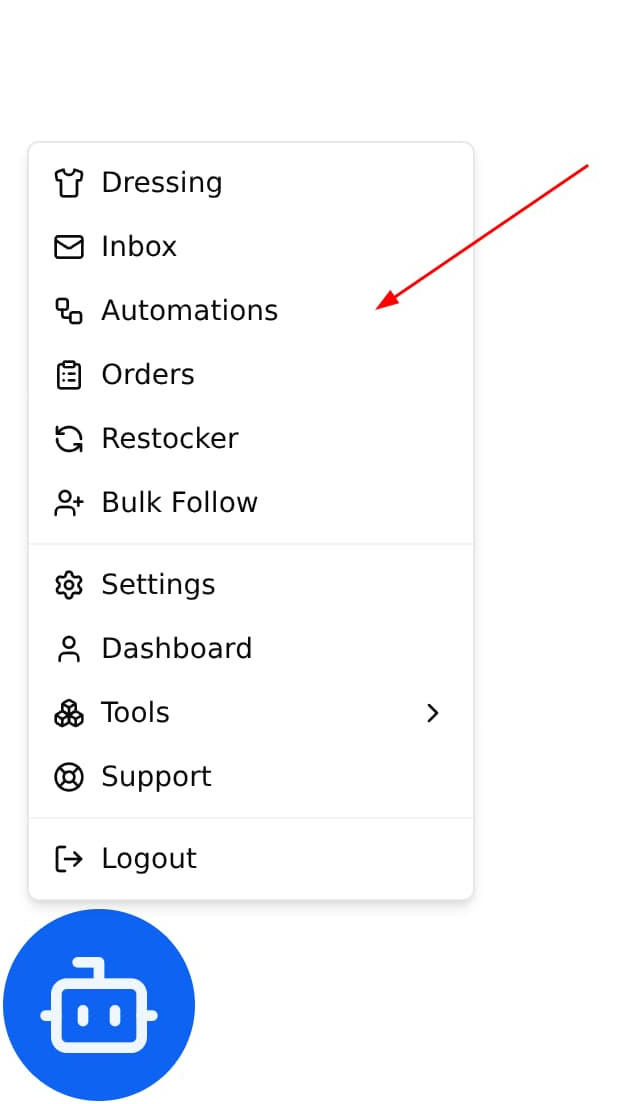
Step 1: Open the Automation Panel
Navigate to the Automation Panel in Dotb.
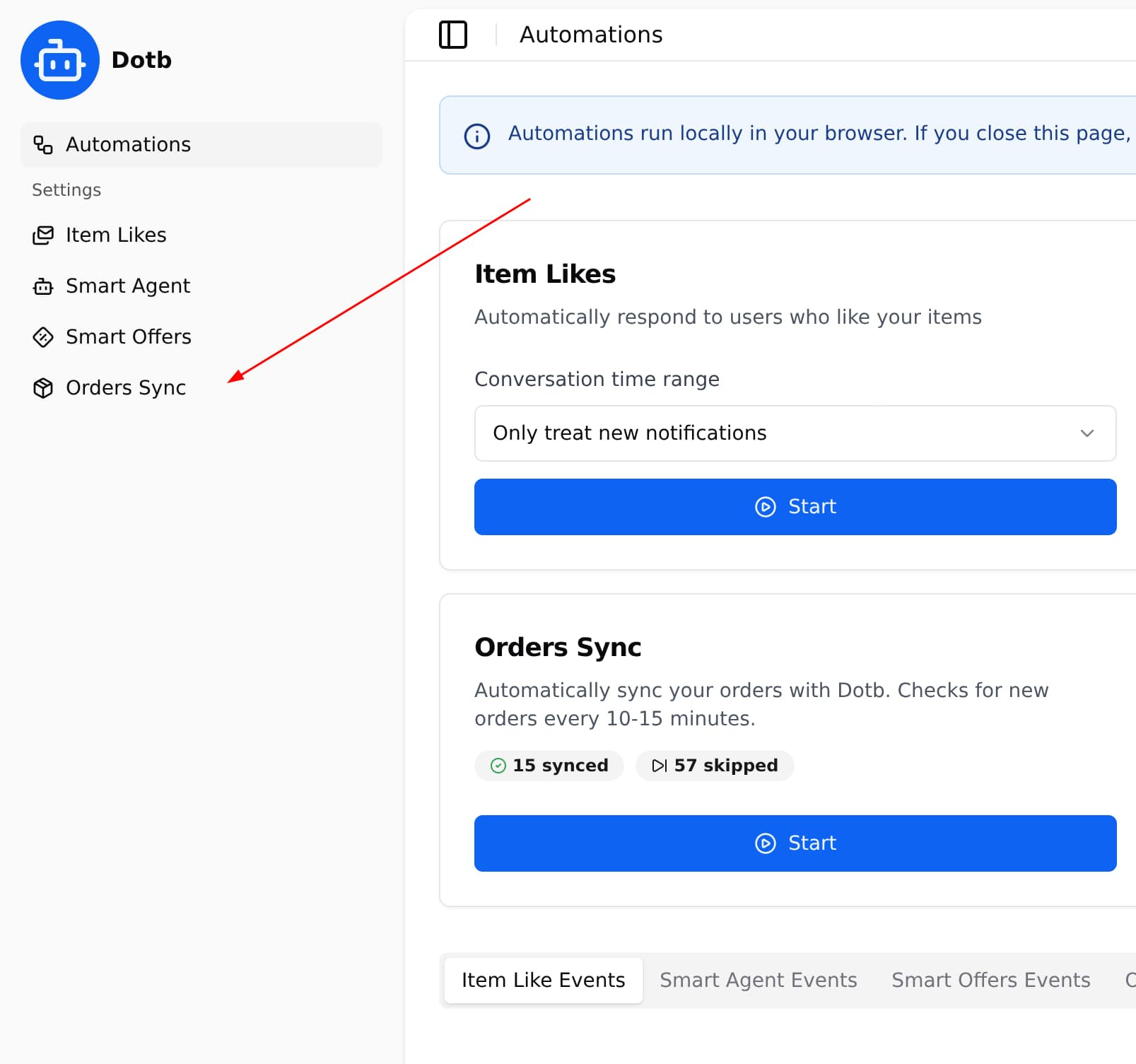
Step 2: Configure Order Sync Settings
Fill in the Order Sync Automation settings according to your preferences.
Step 3: Save the Order Sync Settings
Order sync can automatically download shipping label if you enable the option and send a message when doing it.
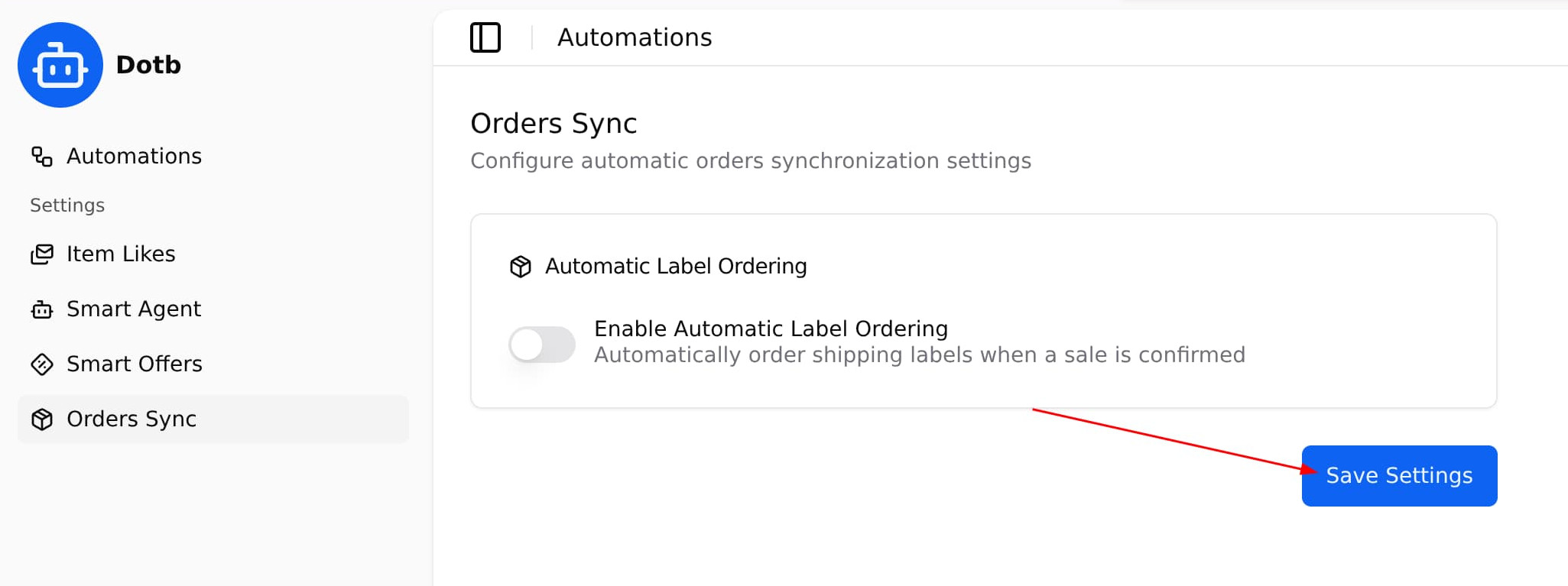
Click the Save button to apply your settings.
Step 4: Run the automation
Click the Start button to begin synchronizing your orders.
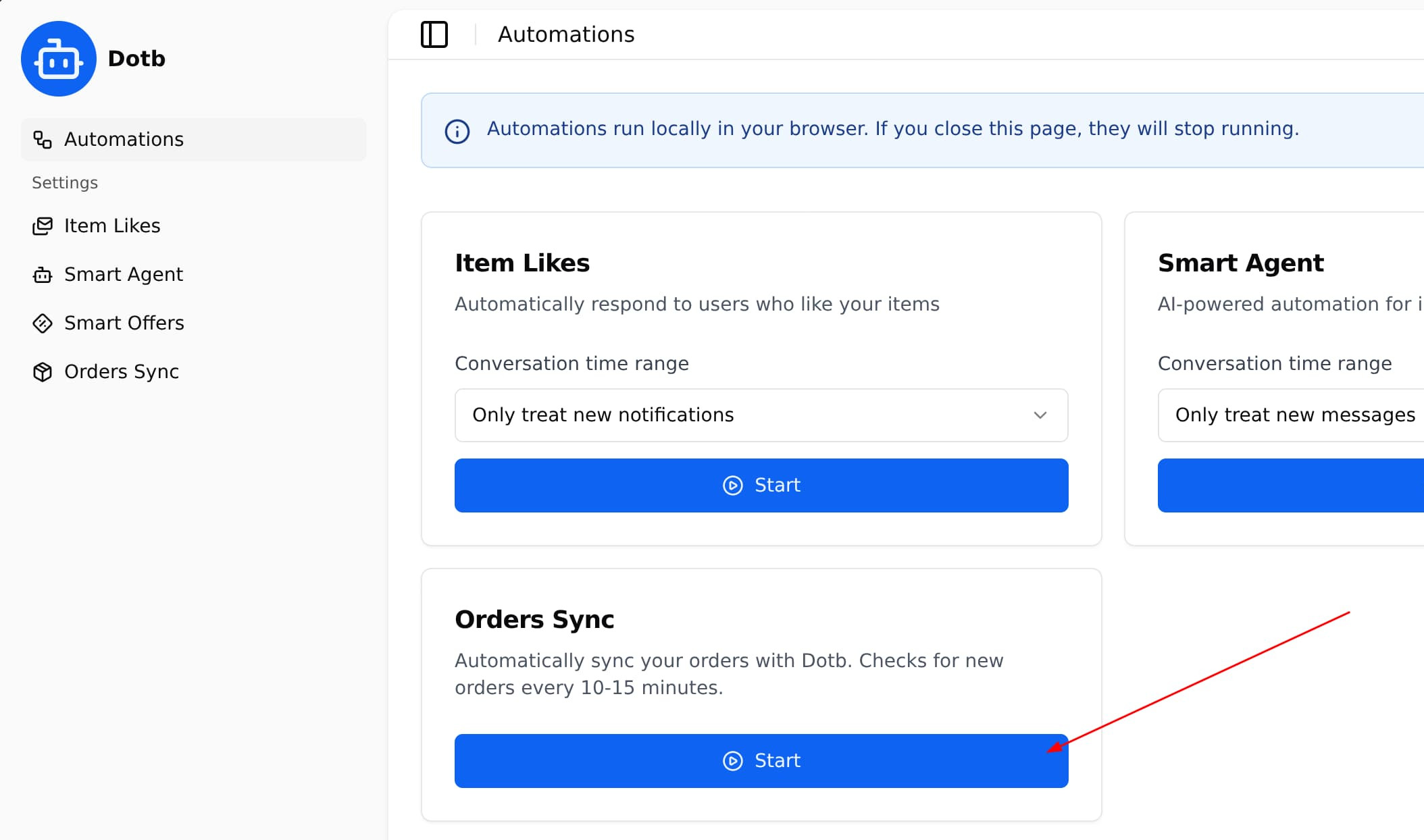
That’s it! Your orders will now be synced automatically as long as the automation is running.
📦 Orders Panel