
Why relisting works on Vinted
Reposting your listings helps keep them at the top of search results and notifies your followers about new items. Every time a listing is republished it looks fresh to buyers who browse by newest first, which increases the chances of selling the reposted item. It also attracts more visitors to your closet, which can boost overall sales, not only the item you reposted.
The catch is that reposting by hand is slow. Republishing means recreating the listing and deleting the old one, so you have to re-enter the photos, the title, the description, the category, the size and the price for every single item. With a wardrobe of dozens or hundreds of items, that is hours of repetitive work.
A Vinted relister takes that work off your hands. Dotb handles the recreate-and-delete cycle for the listings you select, and it saves each reposted item so it is available for later reposts.
What the Dotb relister does
- Reposts your listings from the extension, recreating the listing and removing the old one so you do not end up with duplicates.
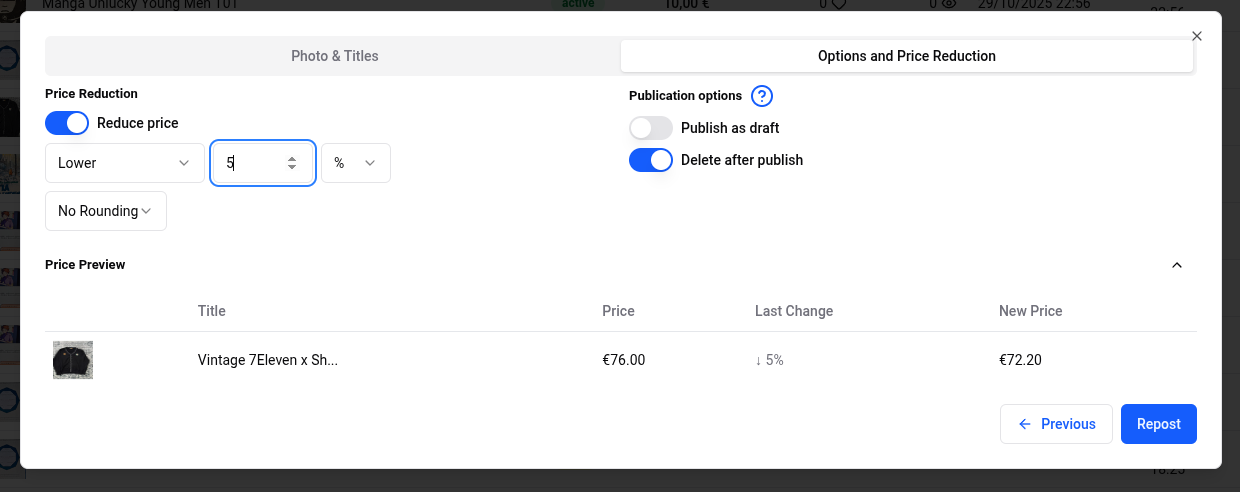
- Reduces the price while reposting, by an amount or a percentage, with a preview table of the prices.
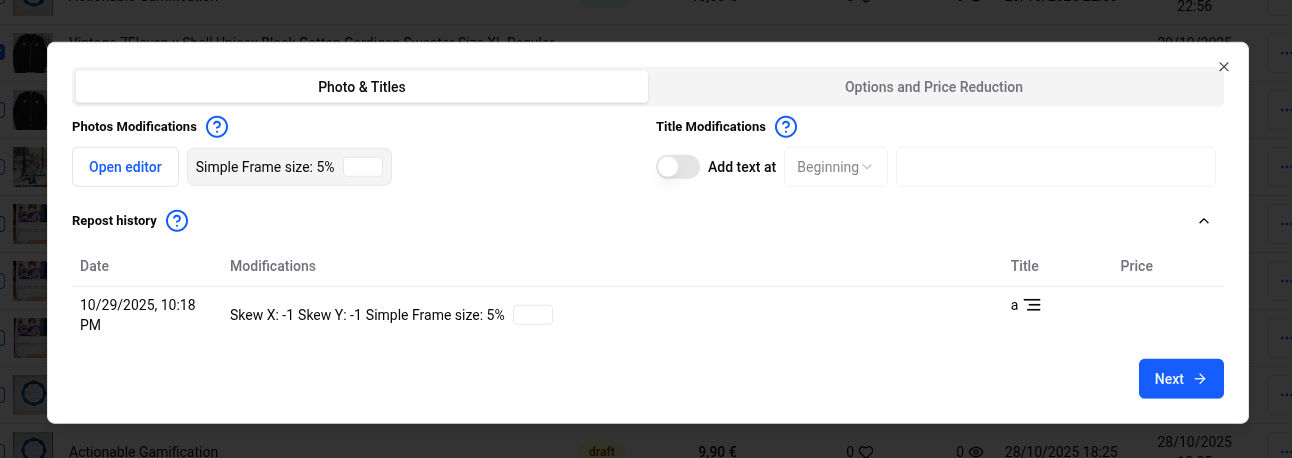
- Keeps a repost history in the item box so you can see what was changed before.
- Duplicates a listing in one click, which is handy for creating size and color variations of the same item.
- Replaces saved pictures of a listing, and lets you download all saved pictures as a ZIP file.
Photos and detection
Vinted's algorithm checks whether photos have already been posted. If you want to maximise visibility, you can make photo modifications using the editor before you repost. The repost history helps here too, since you can see past modifications and decide what to change next.
When to repost
Dotb's recommendation is to repost at the end of the day and on Sundays, when activity is highest. If you want to go deeper, read our guide on when to repost on Vinted, or the full repost documentation.


