We can't find the internet
Attempting to reconnect
Something went wrong!
Hang in there while we get back on track
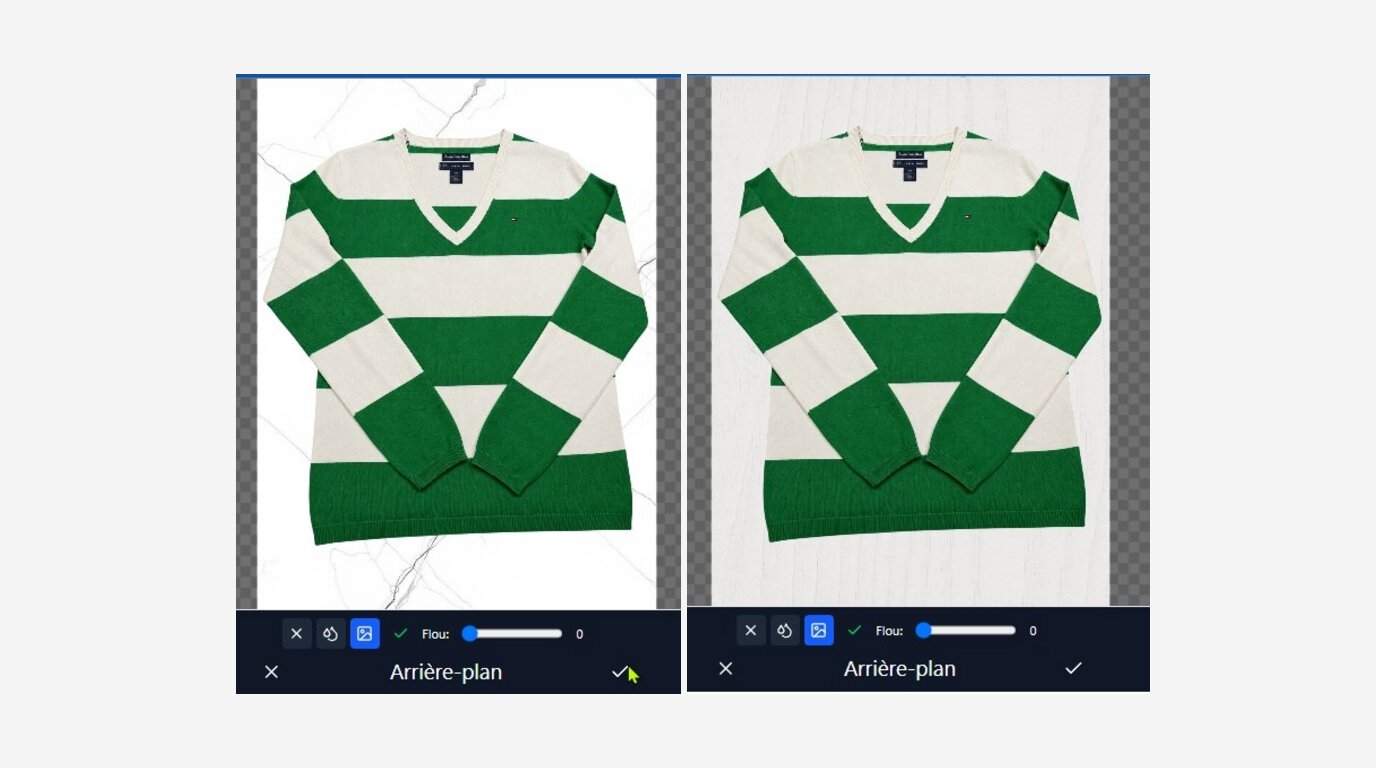
In short: you don't need a studio or a camera. Photograph each item once with your phone in front of a plain backdrop, leaving 20–30% of visible background around it. Dotb then removes the background (€0.0004 a photo) and lets you drop in a new backdrop on every repost, for free. Every listing looks new, and you never reshoot.
Reposting a listing with the exact same photos makes it look like a duplicate, which can hurt its visibility. The usual fix, a new photoshoot, costs time on every repost. Changing only the background gives you a visually new listing without touching the item itself.
💶 What does it actually cost?
Background removal is part of the Boutique AI plan (€24.99/month), which includes €4 of AI credit every month. Here is what that credit covers:
| Item | Cost | With the €4 monthly credit |
|---|---|---|
| Smartphone, plain backdrop, daylight | €0–10, once | — |
| Background removal — Standard model | ~€0.0004 per photo | about 9,000 photos a month |
| Background removal — Premium model | 1 to 2 cents per photo | 200 to 400 photos a month |
| New background on each repost | Free, unlimited | does not use credit |
You only pay for the cut-out once per photo: every repost after that reuses the same transparent photos and just swaps the background. If you run out, you can top up AI credit at any time.
📸 Step 1: shoot for a clean cut-out
It all starts when you take the photo. Dotb removes backgrounds automatically, but it needs a clear separation between the item and the backdrop. Without it, you can't swap the background later.
Labels and details: never fill the frame
Never frame a label or a detail edge to edge. Always leave plain background visible all around it, big enough to be detected and replaced.
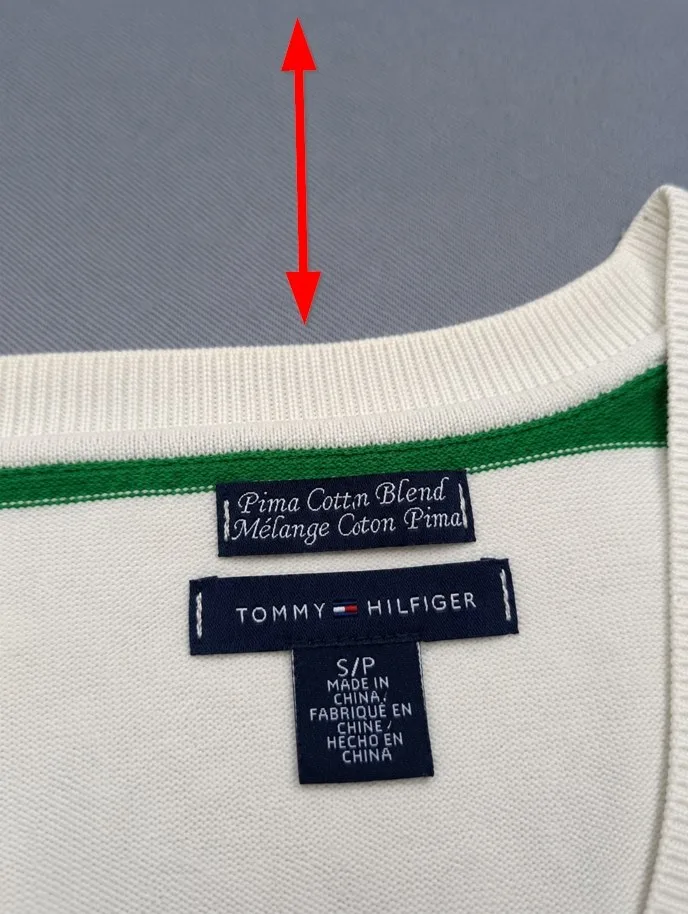
The arrow shows the background margin to keep above the garment.
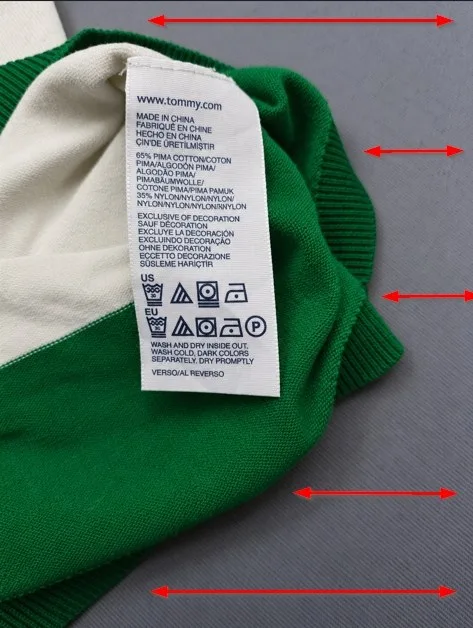
Same on the sides and at the bottom: the background should frame the detail, not just one edge.
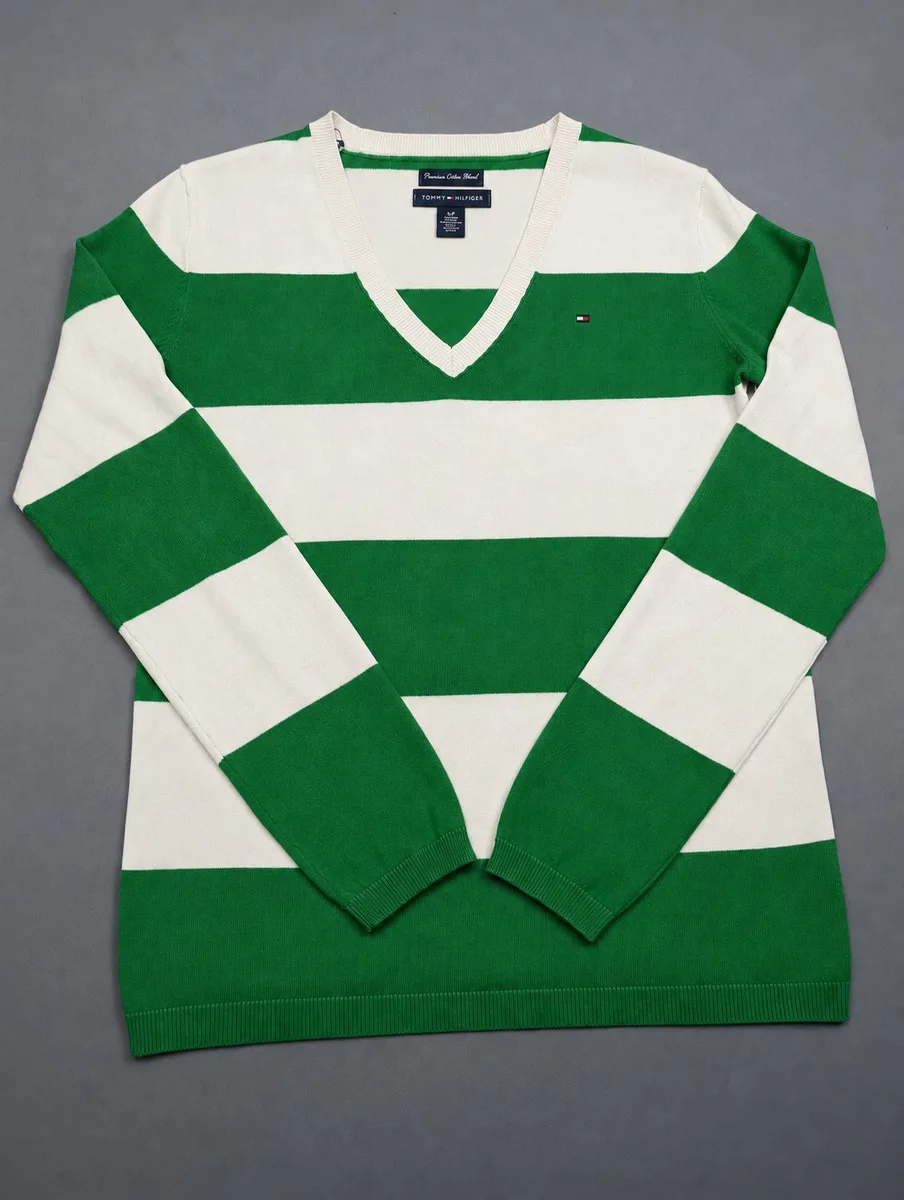
Rule of thumb: 20–30% of the photo should stay plain background. Below that, the cut-out has too little to work with and the photo won't really change from one repost to the next.
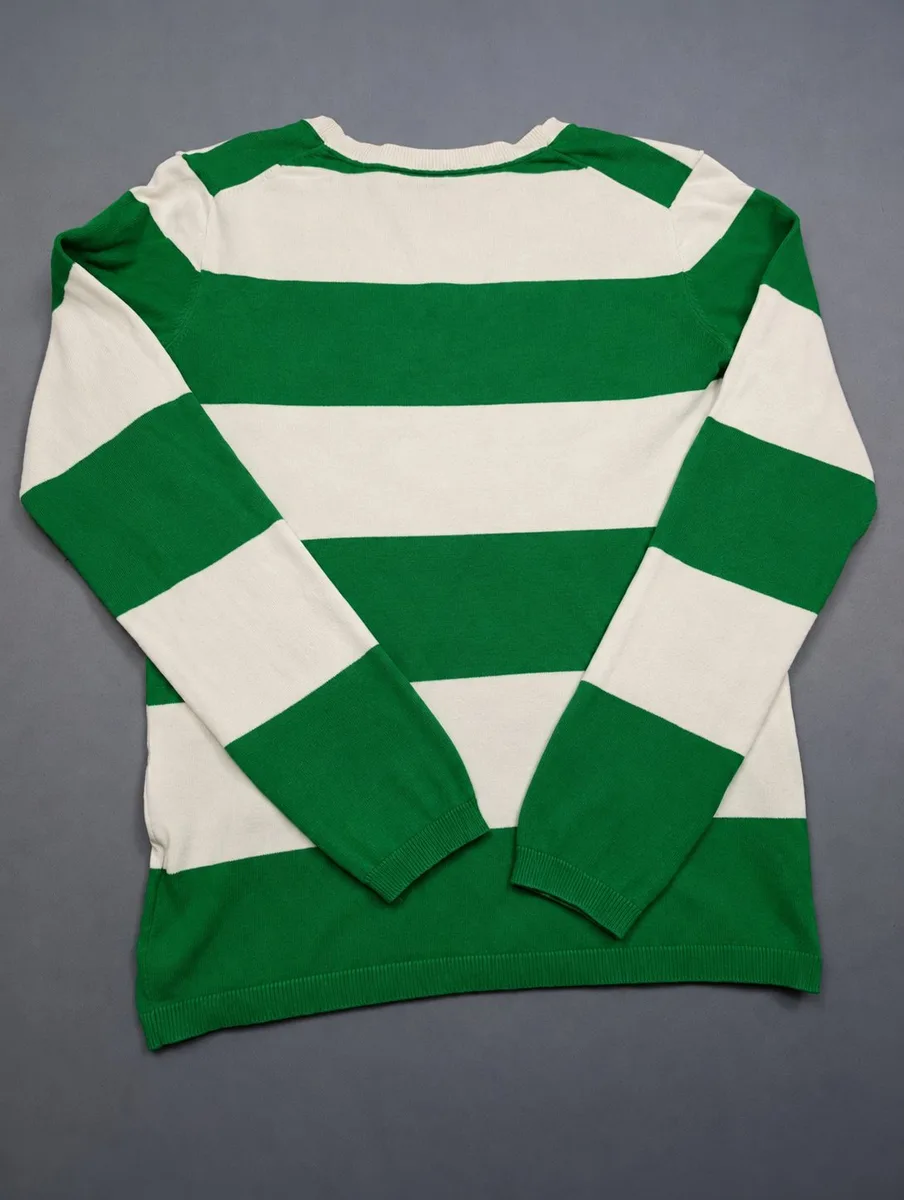
Full item: background all around
Same rule for full shots: leave background all around the item, front and back. Don't crop too tight.
✂️ Step 2: remove the background in Dotb
Once your photos are taken, create the item from the Dotb listing form and run the background removal.
Upload the photos as they are
Upload your photos without cropping or editing them first. Dotb needs the original background margins to do a good job.
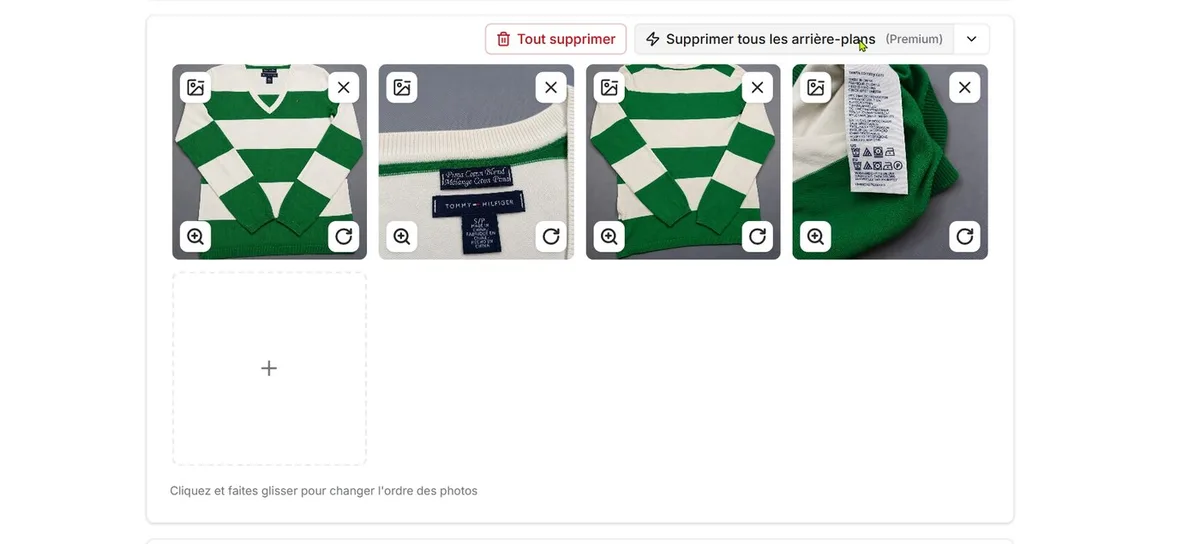
Click "Remove backgrounds"
One click cuts out every photo at once. Start with the Standard model; if the result isn't clean (texture, shadows, creases), switch to Premium, which handles tricky backgrounds better. See how the two models compare.
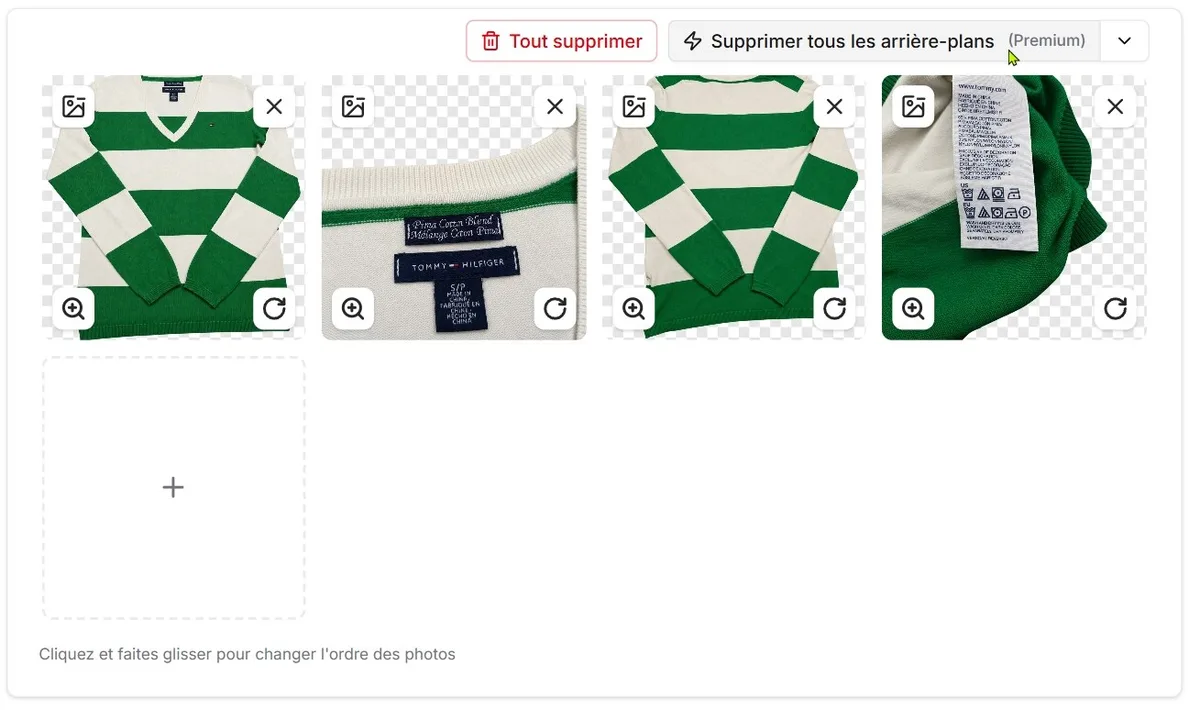
The grey-and-white checkerboard means "transparent": that's what you'll see until you pick a new background.
🔁 Step 3: repost with a new background
This is the step that makes every repost look new. The docs cover it too: Reposting with a different background.
Open the editor from your Dressing
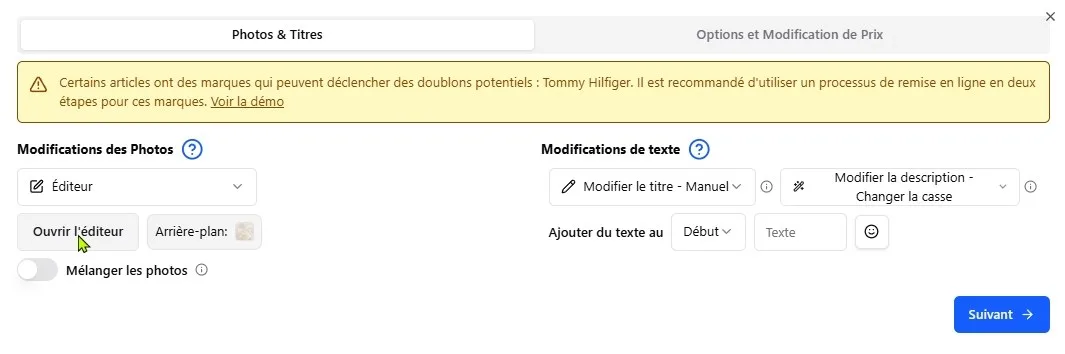
From your Dressing, start a repost and pick "Editor" as the photo modification.
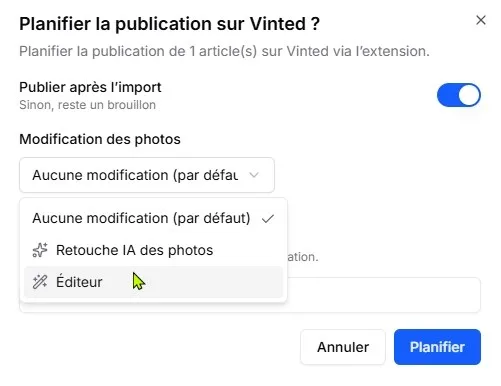
In the "Photo & Titles" tab, click "Open editor".
Tap "Bg" and pick a background
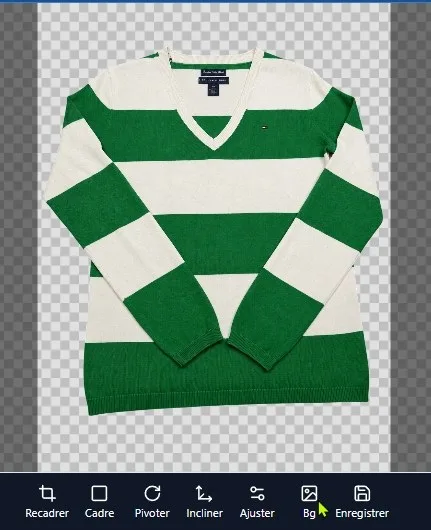
Your item shows up on a transparent background. In the bottom toolbar, tap "Bg".
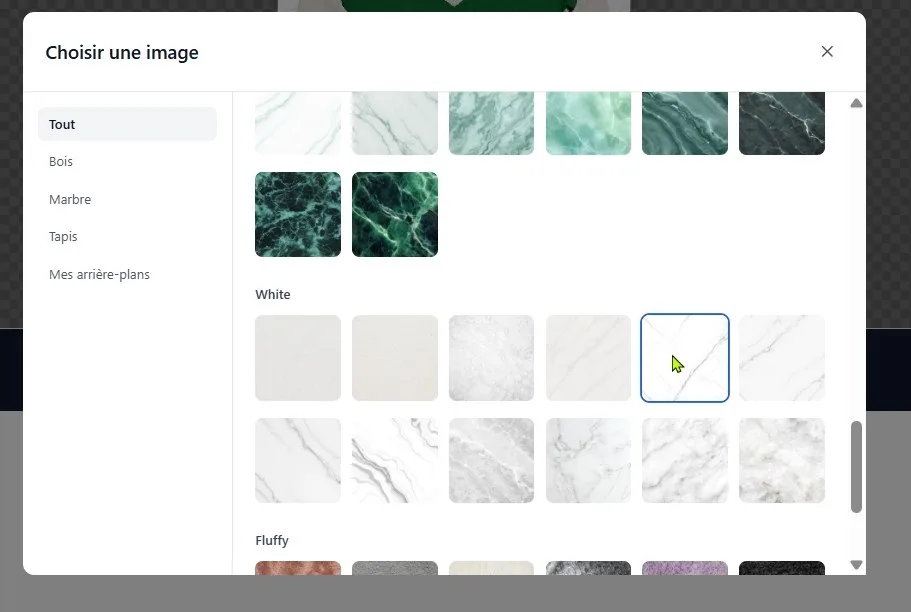
The background library opens, sorted by category (Wood, Marble, Rug…). Click the one you like.
A different background every time
For the repost to look new, pick a background you haven't used yet for that item.
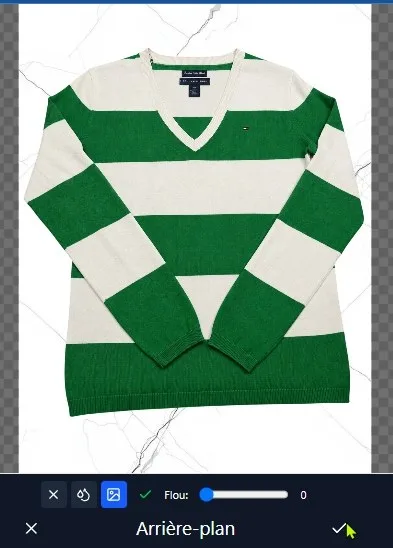
Repost #1: white marble.
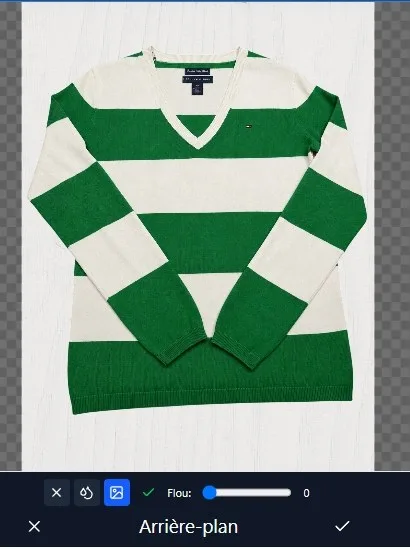
Repost #2: same item, different background.
Or use your own background
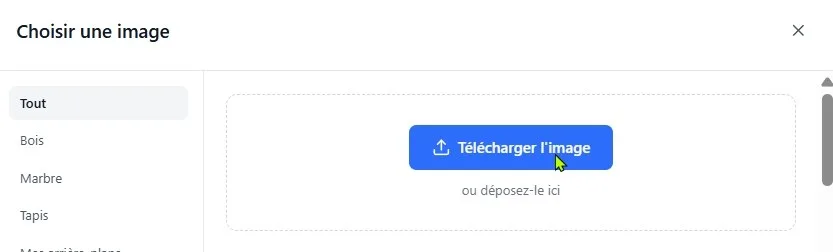
From the same window, "Upload image" adds a background from your computer or phone. It's saved under "My Backgrounds" for next time.
✅ Checklist before you shoot
- Plain background visible in every photo, about 20–30% of the frame
- No edge-to-edge close-ups, not even for a label
- Full shots: background all around, front and back
- Upload raw photos, no cropping
- Standard first, Premium if the cut-out isn't clean
- A new background on every repost, never the same one twice
For other ways to vary your photos (mirror, tilt + frame, AI repost), see Photo modifications. And to pick the right moment: Best time to post on Vinted.


Selling on Vinted ?
Join 17,371+ sellers using Dotb to grow their Vinted shop.